User Interface
Open up the Content drawer, create a new widget blueprint and name it "WBP_HUD".
info
If you have an existing HUD display in your project, you should use that one instead of creating a new one. Having multiple widgets on screen can reduce performance.
Place the WBP_InteractionWidget inside the HUD and anchor it to any position you want.
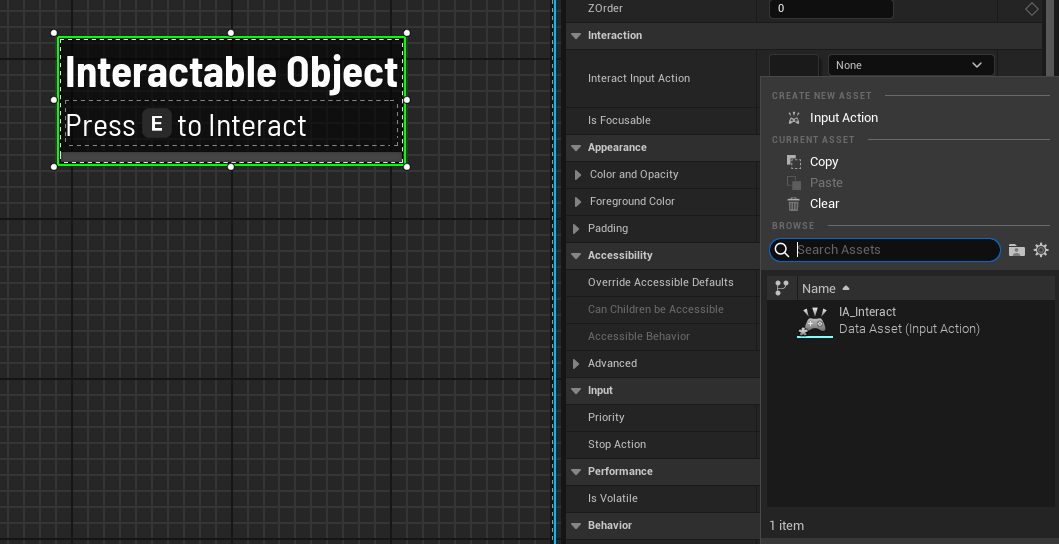
On the WBP_InteractionWidget, set the option Interaction Input Action to the enhanced input action you use for interacting, this will make sure the widget displays the correct input prompt based on the input action you set.
Inside your player controller, on begin play, create the HUD and add it to the viewport.