Interactor Component
The Interactor Component is responsible for handling the interaction logic on the player side, it is also responsible for tracing and detecting interactable objects in the world and sending interaction requests to them.
The component detects interactables, which are the actors that are supposed to have interaction functionality.
Once you add this component to your player character, you can modify the following properties to change how the interaction system detects interactable objects and how it sends interaction requests:
| Property Name | Description | Default Value |
|---|---|---|
| Interaction Check Distance | How far should we check for interactable objects (in unreal units) | 1000 |
| Interaction Check Rate | How much time (in seconds) between interaction checks | 0.1 |
| Interaction Sphere Radius | If greater than 0, use a sphere instead of a line trace, specifies the radius of the interaction sphere trace (in unreal units) | 0 |
Now, let's take a look at the functions/events that the Interactor Component offers:
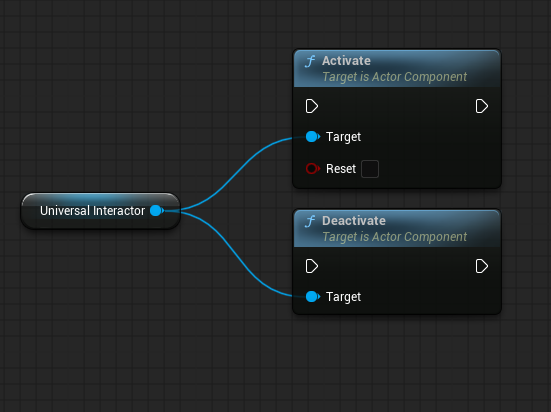
- Activate/Deactivate: This function is used to activate or deactivate the interaction system, when deactivated the component will stop checking for interactable objects and won't send interaction requests.
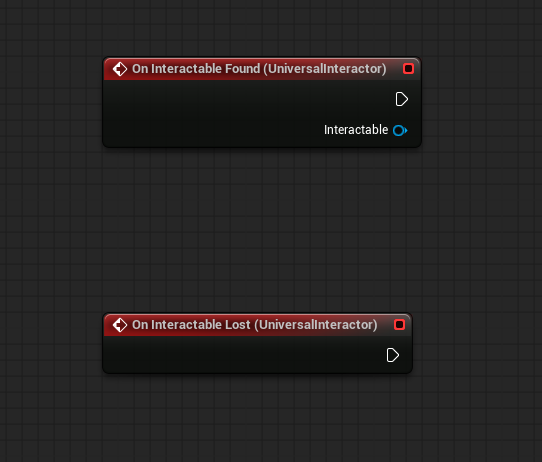
- On Found/Lost Interactable: These events are called when the component detects or loses an interactable object, they return the interactable actor and the interaction component of that actor.
- Get Interactable: Returns the currently detected interactable actor and its interaction component, null if there are none.
- Get Interact Progress: Returns a value from 0 to 1 indicating the progress of the current interaction. Useful for interactions that take time to complete, for example, opening a door or picking up an object.