Events
The quest system offers an event system that can be used to trigger certain behavior when the player reaches a certain point in the quest.
For example, where this can be useful:
- Triggering a cutscene when the player reaches a certain point in the quest.
- Giving the player an item when they complete a quest objective.
- Changing the state of an NPC when the player reaches a certain point in the quest.
- Spawning enemies or other actors that influence that certain objective.
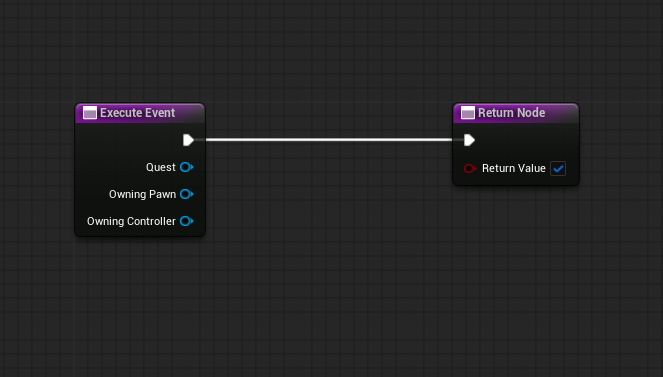
To use the event system, you need to create a new blueprint that derives from the Quest Event class for each event you want to create, then you can override the function Execute Event to add the logic that you want to happen when the event is triggered.
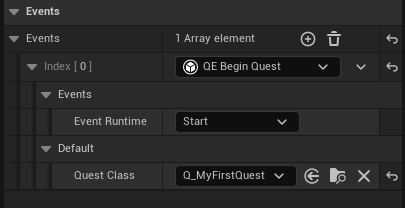
After creating the event blueprint, you can add it to any quest progress or transition node and set the trigger type to either Start, End or Both depending on when you want the event to be triggered.
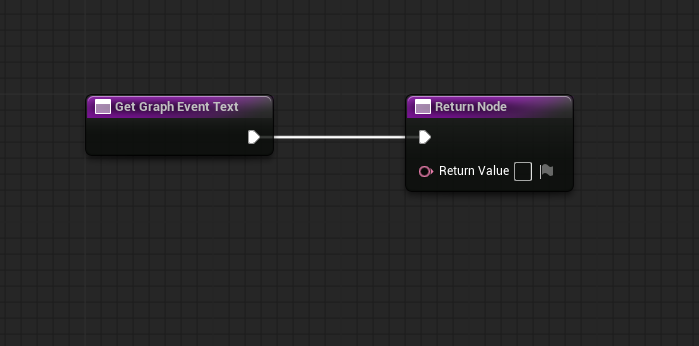
Get Graph Event Text
This is another function that you can override in the event blueprint, it is used to change the text that is displayed on the quest progress or transition node when you add the event to it, by default, it returns the name of the event blueprint but you can change it to anything you want, for example, you can make it return "Give Item: (Item Name)" if the event gives the player an item.
Default Events
The quest system comes with some default events that you can use in your quests, these events are:
- Begin Quest: This event triggers a quest to begin.
- Forget Quest: This event triggers a quest to be forgotten.
- Restart Quest: This event triggers a quest to restart.