Installation
To install Common UI, use the Fab marketplace and install either to the engine or inside the project plugin folder (which you may have to create one), make sure the plugin is enabled in the plugin settings.

Now inside your project settings, search for Game Viewport Client Class option and set it to CommonGameViewportClient, this will make sure the input is first routed to common UI widgets.

Next under Game, Common UI Input Settings, under Platform Input, add the platform you want to support with Common UI with these settings:
- Default Gamepad Name:
Generic - Controller Data: Set for each platform you want to support
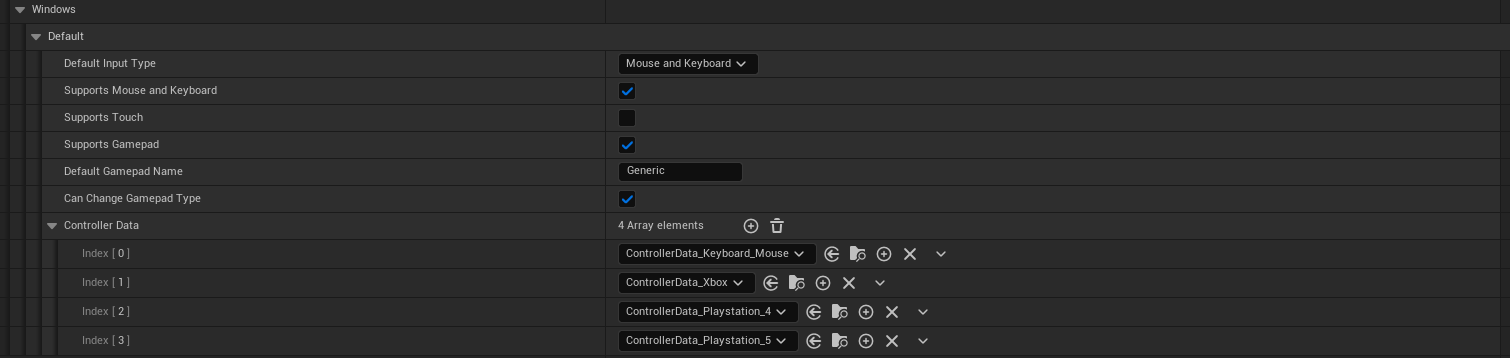
Finally under those same settings, check the option to enable enhanced input support, this will make sure the plugin can handle enhanced input actions and contexts for you:

You are now ready to use all Midofey Systems plugins that require this Common UI plugin.